
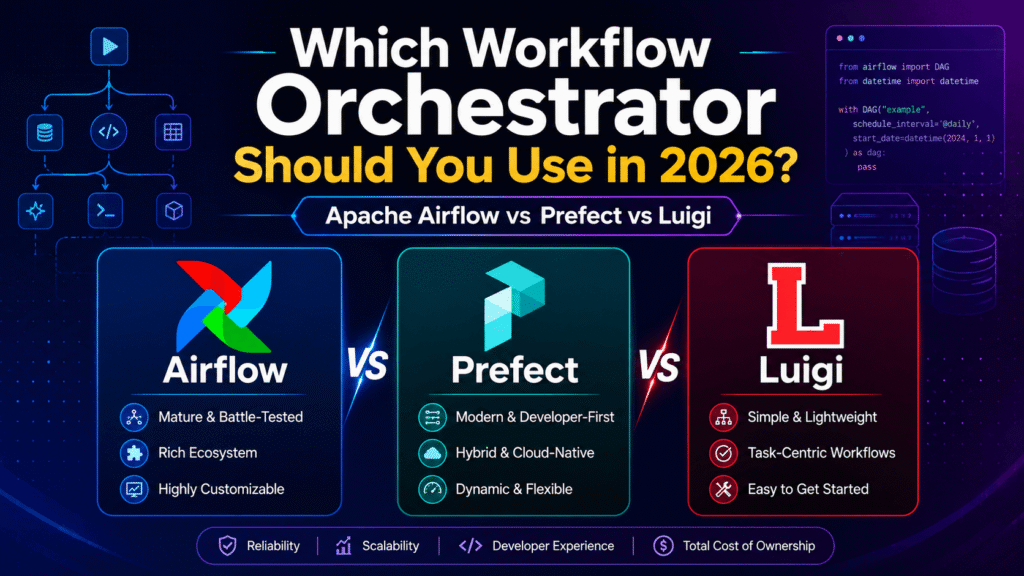
A practical comparison for data teams, Python developers, and AI engineers building reliable workflows
A data pipeline usually starts innocently.
A Python script pulls data from an API. Another cleans it. A third loads it into PostgreSQL, BigQuery, Snowflake, or a dashboard. Then someone adds a daily schedule. Then retries. Then alerts. Then backfills. Then different teams depend on it.
At that point, you no longer have “a few scripts.”
You have a workflow system.
That is where orchestration tools such as Apache Airflow, Prefect, and Luigi become important. They help teams define task dependencies, schedule workloads, retry failed jobs, monitor execution, manage parameters, and make data systems more reliable.
But choosing between them is not just a matter of popularity.
Apache Airflow, Prefect, and Luigi all solve workflow orchestration problems, but they do so with very different assumptions about how code should run, how infrastructure should be managed, and what type of team will own the platform.
In 2026, the practical choice is clearer than many comparison articles make it sound:
- Choose Apache Airflow when you are building a shared, schedule-heavy data platform with multiple pipelines, teams, systems, and operational requirements.
- Choose Prefect when you want Python-first orchestration, dynamic workflows, faster development, and flexibility across APIs, cloud infrastructure, machine learning, and AI workloads.
- Choose Luigi mainly when you are maintaining an existing Luigi ecosystem or need a lightweight, output-driven batch pipeline framework with a simple dependency model.
For most new teams, the decision is between Airflow and Prefect. Luigi is still useful, but it is rarely the best default choice for a new greenfield platform.
This article breaks down where each tool fits, where it creates friction, and how to make a decision based on your actual workflow requirements rather than hype.
The Short Answer
Here is the practical recommendation before going deeper.
| Tool | Best For | Main Strength | Main Trade-Off |
|---|---|---|---|
| Apache Airflow | Enterprise data platforms, scheduled ELT, warehouse workloads, multi-team orchestration | Mature ecosystem, strong scheduling model, operational visibility | Higher setup and maintenance complexity |
| Prefect | Python-first teams, APIs, AI workflows, dynamic pipelines, modern application workloads | Flexible code-first experience and fast development | Requires discipline around deployment, platform ownership, and workflow design |
| Luigi | Existing legacy pipelines, simple batch dependency workflows, output-based task completion | Simple conceptual model and durable batch pipeline patterns | Limited built-in scheduling and less suited to modern greenfield platforms |
The worst decision is not choosing the “wrong” tool.
The worst decision is selecting an orchestrator because it is famous, then forcing every workload into a model that does not match how your systems actually behave.
What Workflow Orchestration Actually Means
Workflow orchestration is the coordination layer around your data and automation jobs.
It answers questions such as:
- What should run first?
- What should happen when a task fails?
- Should the pipeline retry automatically?
- Can failed jobs be re-run safely?
- How do we schedule a daily, hourly, or event-driven workflow?
- How do we know which dataset is fresh?
- How do we backfill missing data?
- Which team owns a failed pipeline at 2 AM?
- How do we monitor whether a workflow completed correctly?
The orchestrator is not usually the place where your most complex data transformation happens. Your transformation may live in Python, SQL, dbt, Spark, Pandas, Polars, a warehouse, an API, or a machine-learning service.
The orchestrator coordinates that work.
A good way to think about it is this:
Your data code performs the work. Your orchestrator makes that work repeatable, observable, recoverable, and dependable.
This distinction matters because teams often use an orchestration tool to solve the wrong problem.
Airflow will not fix poor SQL models.
Prefect will not automatically make a fragile API reliable.
Luigi will not replace a proper data-quality strategy.
The tool gives you structure. You still need good engineering decisions.
The 2026 Workflow Landscape
Workflow orchestration has changed over the past few years.
Earlier orchestration systems were mainly built around batch ETL: extract data overnight, transform it, load it into a warehouse, and make it available before business users arrived in the morning.
That workload still exists. In many companies, it remains the core use case.
But modern pipelines now also include:
- API-based data ingestion
- Customer data synchronization
- Web scraping and crawling
- Event-triggered workflows
- Machine-learning training pipelines
- LLM evaluation jobs
- RAG ingestion workflows
- Document processing
- AI agent monitoring
- Feature engineering
- Data-quality checks
- Reverse ETL
- Internal automation systems
- Infrastructure checks and background processing
This is why the difference between Airflow and Prefect matters more in 2026 than it did a few years ago.
Airflow remains extremely strong for scheduled, structured, repeatable data workloads.
Prefect is increasingly attractive for teams whose workflows look more like Python applications: dynamic, API-driven, event-based, and integrated with product systems or AI services.
Luigi still offers useful ideas, especially around task outputs and dependency resolution, but it feels more like a mature batch-pipeline framework than a full modern orchestration platform.
Apache Airflow: The Data Platform Standard
Apache Airflow is the most recognised workflow orchestrator in data engineering.
It is commonly used for scheduled data pipelines, warehouse transformations, ingestion workflows, machine-learning tasks, reporting jobs, and multi-team orchestration environments.
Airflow workflows are represented as Directed Acyclic Graphs, usually called DAGs.
A DAG defines what tasks exist and how they depend on one another.
For example:
Extract CRM Data
        ↓
Validate Raw Data
        ↓
Load to Data Warehouse
        ↓
Run Transformation Models
        ↓
Check Data Quality
        ↓
Notify Team
Airflow is especially strong when this workflow needs to run repeatedly, predictably, and visibly.
For example, every morning at 6 AM, your business may need:
- CRM data pulled from Salesforce
- Product data pulled from Shopify
- Advertising data pulled from Meta or Google Ads
- Data loaded into a warehouse
- dbt transformations executed
- Data-quality tests checked
- Dashboards refreshed
- Failures reported to Slack or email
This is exactly the type of workload Airflow was designed to manage.
Where Airflow Is Strong
1. Scheduled Data Pipelines
Airflow is excellent when time-based scheduling is central to your platform.
Daily, hourly, weekly, monthly, and custom schedules are first-class concepts. It is particularly effective for workflows where each run represents a defined data interval.
For example:
- Load yesterday’s sales data
- Process last hour’s product events
- Refresh finance reports every Monday
- Backfill missing data for a previous month
- Run data-quality tests after each warehouse load
This data-interval mindset is valuable because it makes pipelines easier to reason about.
Instead of asking, “Did the job run?” you can ask, “Did the pipeline successfully process the data for June 23, 2026?”
That distinction becomes important when failures, backfills, late-arriving data, and audits enter the picture.
2. A Mature Integration Ecosystem
Airflow has a large ecosystem of providers, operators, hooks, sensors, and integrations.
That matters because data engineering rarely happens in one system.
A real pipeline may interact with:
- AWS S3
- Google Cloud Storage
- Azure Blob Storage
- PostgreSQL
- MySQL
- Snowflake
- BigQuery
- Redshift
- Databricks
- dbt
- Kubernetes
- Slack
- Microsoft Teams
- REST APIs
- Spark
- Kafka-related services
- Email systems
Airflow’s strength is that it has been built around this reality for years.
You can write custom Python code when needed, but you are not forced to rebuild every integration from scratch.
3. Visibility for Operational Teams
Airflow’s user interface remains one of its most valuable features.
A good workflow platform should make failures understandable.
When someone asks, “Why is the sales dashboard empty today?”, the answer should not require opening a terminal, checking three log files, and manually tracing Python scripts.
Airflow provides a visual view of DAG runs, task status, logs, retries, timing, failures, dependencies, and historical execution.
For a shared platform with analysts, data engineers, analytics engineers, machine-learning teams, and operations teams, this visibility is valuable.
A pipeline should not depend on one person remembering how it works.
4. Strong Support for Scalable Execution
Airflow can run tasks through different execution models depending on the infrastructure you manage.
That allows teams to start relatively simply and later scale into distributed execution models.
For example, a team may begin with local workers, then move toward containerised or Kubernetes-based task execution as workloads increase.
This does not mean Airflow is automatically simple to scale. It means it has a mature path for teams that genuinely need that scale.
5. Asset-Aware and Data-Aware Scheduling
Modern Airflow is no longer limited to simple “run every day at midnight” logic.
It can also model data dependencies more directly.
For example, instead of triggering a downstream job only because the clock says 8 AM, you can trigger it after an upstream data asset has been successfully updated.
This matters for modern data platforms because the real dependency is often not time.
The real dependency is data readiness.
A reporting pipeline should start when the upstream customer dataset is complete, not simply because a scheduled time has arrived.
6. Better Fit for Multi-Team Environments
Airflow is well suited to organisations where many teams share a data platform.
That includes environments where different teams own different DAGs, infrastructure is centrally managed, and reliability standards are high.
Examples include:
- A retail company with marketing, finance, operations, and product data pipelines
- A SaaS business with warehouse, customer, billing, and product-analytics workflows
- A large company running hundreds of scheduled jobs
- A data platform team supporting many internal users
- A company with strict monitoring, audit, and operational requirements
In these environments, Airflow’s structure becomes an advantage rather than a burden.
Where Airflow Creates Friction
Airflow is powerful, but it is not lightweight.
That is the most important thing to understand before adopting it.
1. Operational Complexity
A production Airflow deployment includes more than a Python package.
Depending on the architecture, you may need to manage components such as:
- Scheduler
- Metadata database
- Webserver
- DAG processing
- Workers
- Message broker
- Triggerer
- Storage
- Logging
- Secrets management
- Monitoring
- Container infrastructure
This is not automatically a problem.
It becomes a problem when a small team adopts Airflow for two simple scripts and suddenly inherits a platform they do not have the time or skills to operate.
Airflow is often worth the operational cost when the workflows are business-critical and the organisation needs a central orchestration layer.
It is often overkill when you only need to run one API job each night.
2. It Encourages a DAG-First Way of Thinking
Airflow requires you to think in terms of DAGs, tasks, scheduling, dependencies, and execution states.
That is useful for batch data engineering.
But it can feel unnatural when workflows are deeply dynamic.
For example, imagine a workflow that receives thousands of user documents, performs different actions based on document type, calls multiple AI models, dynamically creates tasks depending on the content, and handles varying amounts of work every time it runs.
Airflow can support dynamic task mapping and branching, but the overall design still benefits most from workflows that can be expressed clearly as orchestrated tasks.
For highly dynamic, application-like workflows, Prefect often feels more natural.
3. It Is Not Ideal for Real-Time Request Handling
Airflow is not a replacement for a web server, background queue, or low-latency API system.
You should not use Airflow for:
- Handling a user clicking a button in a web application
- Responding to an HTTP request in milliseconds
- Serving live chatbot responses
- Managing high-throughput real-time events
- Replacing Celery, Kafka, RabbitMQ, or a dedicated task queue
Airflow can be connected to event systems, but it should not become the execution engine for every type of asynchronous workload.
4. Upgrades Need Planning
Airflow is mature, but major versions can introduce changes that require careful testing.
That is normal for a serious infrastructure tool.
The mistake is treating Airflow like a small Python dependency that can be upgraded casually in production.
A responsible Airflow team should have:
- Version pinning
- Test environments
- DAG validation
- Upgrade plans
- Rollback options
- Dependency management
- Documentation for operators and providers
Prefect: The Python-First Orchestrator
Prefect is built around a different philosophy.
Instead of asking developers to first think in DAG definitions, Prefect lets teams write Python functions that behave much more like normal Python code.
You define flows and tasks using decorators, then gain orchestration features such as retries, scheduling, caching, observability, deployment, logging, and infrastructure control.
The result is a workflow system that often feels more natural to Python developers.
A simplified Prefect workflow might look conceptually like this:
@flow
def customer_ingestion_pipeline():
    raw_data = fetch_customer_data()
    validated_data = validate_customer_data(raw_data)
    load_to_database(validated_data)
    notify_team()
The code remains readable as ordinary Python, but the system can still track execution, retries, failures, logs, state, and deployment.
That is why Prefect is often a strong choice for modern engineering teams.
Where Prefect Is Strong
1. It Feels Closer to Normal Python
This is Prefect’s biggest advantage.
Python developers can usually understand a Prefect workflow quickly because it does not force them to completely change how they think about functions, conditions, loops, and application logic.
This matters for teams building:
- API ingestion jobs
- AI workflows
- LLM processing pipelines
- Document extraction systems
- Web crawling pipelines
- Data validation processes
- Machine-learning jobs
- Internal automation tools
- Background workflows
- Customer-specific processing pipelines
For a team with strong Python skills but limited experience operating traditional data platforms, Prefect often has a lower learning curve.
2. Dynamic Workflows Are More Natural
Prefect is especially useful when the shape of the workflow depends on runtime data.
For example:
- Process a list of files uploaded by customers
- Create a task for each newly discovered website
- Run different workflows based on document type
- Trigger additional checks only when a data-quality rule fails
- Process a variable number of AI requests
- Call different models based on language, content, or confidence score
- Launch a separate workflow for each customer account
These patterns are possible in many orchestration tools, but Prefect tends to make them feel closer to ordinary Python control flow.
That makes it attractive for AI and automation products where workflows do not always look like a predictable nightly warehouse DAG.
3. Strong Fit for AI, API, and Product Workloads
Modern AI applications need orchestration.
A typical AI workflow may include:
- Receive a document or data source
- Clean and validate content
- Chunk text
- Generate embeddings
- Store vectors
- Run LLM extraction
- Check output quality
- Save results
- Notify the user or trigger a next step
This is not always a traditional warehouse pipeline.
It may be triggered by a product event, an API call, a customer action, or a batch job.
Prefect works well in this space because it can fit naturally into Python backend systems.
For developers building RAG systems, AI evaluation pipelines, agent workflows, web auditing tools, and data-processing APIs, this flexibility is valuable.
4. Flexible Deployment Through Work Pools and Workers
Prefect allows teams to separate workflow definitions from where those workflows actually run.
A workflow can be deployed to different types of infrastructure, including local environments, Docker, Kubernetes, cloud virtual machines, or other controlled worker environments.
This is useful when different workloads need different execution environments.
For example:
- Lightweight API pulls can run on a small worker
- Data processing can run inside Docker containers
- Large workloads can run in Kubernetes
- GPU workloads can be sent to specialised infrastructure
- Sensitive workflows can run in a private environment
This makes Prefect appealing to teams that want flexibility without immediately building a large orchestration platform.
5. Retries, Caching, and State Management
Prefect gives developers useful reliability tools directly in the workflow model.
Tasks can be retried. Flows can be retried. Results can be persisted. Work can be cached. Timeouts can be configured.
These capabilities matter because real systems fail for ordinary reasons:
- An API rate limit is reached
- A cloud service temporarily fails
- A database connection drops
- A file arrives late
- A customer source contains malformed data
- A model API times out
- A third-party service returns an error
The right response is not always “fail everything.”
Sometimes the correct response is to retry safely, skip invalid records, store state, alert the team, or resume from a known point.
Prefect makes these patterns approachable for Python developers.
Where Prefect Creates Friction
1. Flexibility Can Create Inconsistency
Prefect gives developers a lot of freedom.
That is useful, but freedom without standards can create inconsistent workflow design.
One developer may build a clean, idempotent, observable pipeline. Another may wrap a large, unstructured script in a single Prefect flow and call it “orchestration.”
That is not a Prefect problem. It is an engineering governance problem.
A team using Prefect should still define standards for:
- Task boundaries
- Retry policies
- Logging
- Naming conventions
- Secrets handling
- Versioning
- Error classification
- Deployment environments
- Ownership
- Alerting
- Data validation
Prefect can make workflows easy to write. It does not remove the need to design them well.
2. You Must Decide How to Run and Govern It
A team needs to decide whether it will use a managed control plane, self-host its own setup, or use a hybrid arrangement.
That decision affects:
- Cost
- Security
- Compliance
- Observability
- Access control
- Maintenance
- Team ownership
- Infrastructure complexity
A small team may prefer a managed experience because it reduces operational work.
A regulated organisation may need more direct control over where workflow metadata, logs, and execution happen.
The important point is that Prefect is not “zero operations.” It simply lets you choose how much infrastructure ownership you want.
3. The Ecosystem Is Different from Airflow’s
Prefect has strong integrations and a modern developer experience, but Airflow still has a deeply established ecosystem in traditional data engineering.
For highly standard warehouse patterns involving many established enterprise tools, Airflow may have a more familiar operating model for data teams.
This does not mean Prefect is less capable.
It means the team should check the exact integrations, deployment patterns, and operational knowledge they need before deciding.
4. It Can Be Too Application-Like for Strict Data Platform Teams
Some organisations prefer a highly standardised pipeline model where every workflow follows the same scheduling, deployment, monitoring, and governance pattern.
Airflow’s stronger structure can be useful there.
Prefect may be a better technical fit for developers, but a less comfortable organisational fit for a company that already has a mature Airflow platform and a dedicated data platform team.
Luigi: Reliable, Simple, but Usually Not the First Choice for New Projects
Luigi is an older but still maintained Python framework for building complex batch workflows.
It is built around a clean idea:
- A task has dependencies
- A task has outputs
- A task runs only when its dependencies are complete
- The system can infer which work still needs to be done
A Luigi task commonly defines methods such as:
requires()output()run()
This makes Luigi especially understandable for batch data pipelines.
For example:
Download File
        ↓
Clean File
        ↓
Transform File
        ↓
Load File to Warehouse
Each task can describe what it needs and what it produces.
If the output already exists, Luigi can treat the task as complete.
That output-oriented approach is one of Luigi’s strongest design ideas.
Where Luigi Is Strong
1. A Simple Dependency Model
Luigi’s task dependency model is easy to understand.
A task depends on other tasks. Those tasks define outputs. When upstream outputs exist, downstream work can proceed.
This is useful for batch processing systems, especially where the outputs are stable and clearly defined.
For example:
- Generate a daily report file
- Process an input dataset
- Build an aggregate table
- Generate a machine-learning feature file
- Export a clean dataset
- Create a partitioned output in storage
2. Good Fit for Existing Luigi Systems
If a company already has Luigi pipelines that are stable, understood, and useful, there is no reason to migrate simply because a newer tool is more popular.
Migration has a cost.
A team should migrate only when there is a clear need, such as:
- Better scheduling
- Better operational visibility
- More modern deployment requirements
- Stronger support for event-driven workflows
- Easier team onboarding
- Better cloud-native execution
- More scalable governance
- More integration requirements
A working pipeline is more valuable than a fashionable rewrite.
3. Useful for Lightweight Batch Workflows
Luigi can be a reasonable option when a team wants simple batch dependency management without building a large orchestration platform.
However, that simplicity comes with important limitations.
Where Luigi Creates Friction
1. It Does Not Provide a Complete Scheduling Solution by Itself
This is the most important limitation.
Luigi can manage dependency resolution and task coordination, but regular scheduling often needs to be handled externally through cron, another process, or another scheduling system.
That means a team may still need separate infrastructure to answer basic questions such as:
- Run this workflow every day at 6 AM
- Trigger it when a new file arrives
- Alert the team when the job fails
- Backfill a historical period
- Monitor SLA performance
- Track workflow ownership
For a new platform, that can become unnecessary extra work.
2. The Developer Experience Feels Older
Luigi is reliable and conceptually clean, but its workflow experience feels less modern than Airflow or Prefect for many teams.
It is less attractive for organisations that want:
- Rich operational interfaces
- Dynamic AI workflows
- Event-driven execution
- Modern deployment models
- Cloud-native infrastructure
- Shared data-platform governance
- Flexible workflow automation
3. It Is Usually a Legacy or Specialised Choice
Luigi is not obsolete.
But it is no longer the tool most teams should reach for first when starting a new orchestration platform.
For most greenfield projects in 2026, a team should have a strong reason to choose Luigi instead of Airflow or Prefect.
Airflow vs Prefect vs Luigi: Detailed Comparison
1. Learning Curve
Airflow has the steepest learning curve because developers must understand DAGs, scheduling, task instances, metadata databases, executors, providers, retries, sensors, workers, and deployment architecture.
Prefect is generally easier for Python developers because workflows look more like ordinary Python code. The concepts of flows, tasks, deployments, workers, and work pools still need to be learned, but the entry point is smoother.
Luigi has a simple task-based model, but its older architecture means developers may need to build more supporting infrastructure around it.
Winner for fast Python onboarding: Prefect
2. Scheduled Batch Data Workloads
Airflow is the strongest choice for structured, recurring batch workflows.
It is particularly effective when workflows run on defined schedules and process known data intervals.
Prefect can also schedule workflows well and is a strong option for many batch workloads, especially when the workflows are Python-heavy or more dynamic.
Luigi can coordinate batch work but usually needs outside scheduling support.
Winner for large scheduled data platforms: Airflow
3. Dynamic Runtime Workflows
Prefect is the strongest option when the workflow changes based on runtime data.
This matters for AI systems, API-driven workloads, customer-specific processing, document pipelines, crawling, and workflows that dynamically create work.
Airflow supports modern dynamic task patterns, but it remains most natural when the overall workflow is still clearly structured as a DAG.
Luigi can support dynamic dependencies, but it is less attractive for modern highly dynamic workloads.
Winner for dynamic Python workflows: Prefect
4. Enterprise Data Platform Use
Airflow is the strongest choice for an organisation building a central data platform.
It has a mature operational model, strong ecosystem support, clear DAG visibility, established deployment patterns, and broad familiarity among data engineers.
Prefect can work well in enterprises, particularly where data engineering overlaps with product engineering, APIs, machine learning, and cloud-native workloads.
Luigi is generally less attractive for a new enterprise-wide platform.
Winner for shared enterprise data platforms: Airflow
5. AI and Machine Learning Workflows
Prefect often feels more natural for AI and machine-learning workflows because these workloads are frequently dynamic, Python-heavy, API-driven, and connected to product systems.
Examples include:
- Batch LLM evaluation
- Prompt testing
- RAG ingestion
- Document extraction
- Embedding generation
- Dataset scoring
- AI quality checks
- Model API orchestration
- Customer-specific AI jobs
Airflow can also run machine-learning workflows, especially scheduled feature pipelines, batch inference, model retraining, and warehouse-connected ML workloads.
The right question is not “Can Airflow run AI?”
It can.
The better question is whether your AI workflow behaves like a scheduled data pipeline or like a dynamic Python application.
Winner for application-connected AI workflows: Prefect
6. Infrastructure and Operational Burden
Airflow usually has the highest operational burden because it is a full orchestration platform with several components.
Prefect can reduce the initial burden, especially for smaller teams, but still requires decisions about deployment, worker infrastructure, security, and governance.
Luigi may appear lightweight, but teams often end up building missing pieces themselves, especially around scheduling and monitoring.
Winner for getting started quickly: Prefect
Winner for long-term central platform maturity: Airflow
7. Observability and Debugging
Airflow provides strong visual DAG monitoring, task history, logs, reruns, and operational troubleshooting.
Prefect provides workflow visibility, task states, logs, run history, and a developer-friendly interface.
Luigi offers a scheduler UI and visualization, but it is less comprehensive as an operational platform.
Winner for large operational data teams: Airflow
Winner for developer-friendly workflow visibility: Prefect
When You Should Choose Apache Airflow
Choose Airflow when most of these statements are true:
- You have many recurring data pipelines
- You need strong scheduling and backfill support
- You are building a central data platform
- Multiple teams will own workflows
- You work heavily with warehouses, dbt, Spark, cloud storage, and reporting systems
- Operational visibility is a major requirement
- You need a mature ecosystem of integrations
- You have the engineering capacity to operate the platform
- Your workflows are structured and predictable
- Data freshness and pipeline reliability are business-critical
A typical Airflow scenario would be:
A growing SaaS company has marketing data, billing data, product analytics, customer data, support data, warehouse models, dbt jobs, and executive dashboards. Multiple teams depend on daily and hourly datasets. The company needs clear monitoring, retries, backfills, ownership, and auditability.
That is an Airflow-shaped problem.
When You Should Choose Prefect
Choose Prefect when most of these statements are true:
- Your team is Python-first
- You want workflows that feel like normal application code
- Your pipelines are dynamic or event-driven
- You are building AI, ML, document, API, or automation workflows
- You need to move quickly without operating a large platform immediately
- Your jobs may run in Docker, Kubernetes, cloud workers, or varied infrastructure
- Your workflow logic depends heavily on runtime inputs
- Your team includes backend developers as well as data engineers
- Your workflows are closely connected to customer-facing applications
- You value developer experience and flexibility
A typical Prefect scenario would be:
A company processes customer documents, crawls websites, calls multiple APIs, performs AI extraction, stores results in databases, and triggers follow-up jobs depending on what the system discovers. The workflow shape changes based on data and customer behaviour.
That is a Prefect-shaped problem.
When You Should Choose Luigi
Choose Luigi when one of these situations applies:
- You already have stable Luigi pipelines
- Your team understands Luigi well
- Your workloads are simple, batch-oriented, and output-driven
- You do not need a large orchestration platform
- You are comfortable handling scheduling and operations externally
- Migration costs are higher than the benefits of moving
For a brand-new system, Luigi should usually be selected only after deliberately deciding that its simpler model is more valuable than the broader platform features offered by Airflow or Prefect.
Five Questions to Ask Before Selecting an Orchestrator
Before choosing a tool, answer these questions honestly.
1. What triggers your workflows?
Are workflows mostly triggered by time?
Examples:
- Every day at 6 AM
- Every hour
- Every Monday
- Every month-end close
Airflow is likely a strong fit.
Are workflows triggered by runtime events or customer activity?
Examples:
- A customer uploads a document
- A website audit begins
- A new API request arrives
- A data source changes
- An AI workflow needs to process a new queue of tasks
Prefect may be a stronger fit.
2. How dynamic is your workload?
If the workflow graph is predictable, Airflow works very well.
If the number of tasks, branches, and processing steps depend heavily on runtime data, Prefect may feel more natural.
3. Who will operate the platform?
A tool is not only selected by developers. It must also be operated.
Ask:
- Who manages deployment?
- Who handles failed workflows?
- Who owns infrastructure?
- Who manages secrets?
- Who monitors logs?
- Who supports other teams?
- Who manages upgrades?
- Who handles incident response?
A technically impressive tool can become a poor choice if nobody owns its operation.
4. Are You Building a Data Platform or a Product Workflow?
This question is often more important than the technology itself.
A central data platform with warehouse pipelines, reporting jobs, and shared datasets often points toward Airflow.
A Python application that orchestrates documents, APIs, AI models, and customer-specific jobs often points toward Prefect.
5. What Happens When the Workflow Fails?
Every team loves happy-path diagrams.
The real quality of a workflow is revealed when something goes wrong.
Ask:
- Can the workflow retry safely?
- Can you rerun only the failed step?
- Can you backfill past data?
- Can you prevent duplicate writes?
- Can you explain the failure?
- Can another engineer debug it?
- Can the system recover without manual database edits?
Choose the tool that helps your team answer those questions clearly.
Common Mistakes Teams Make
Mistake 1: Choosing Based on Popularity
Airflow is popular. Prefect is modern. Luigi is simple.
None of those statements should make the decision for you.
Choose based on workflow shape, team skills, infrastructure, operational needs, and business risk.
Mistake 2: Treating Every Function as a Task
A workflow with 200 tiny tasks is not automatically better than a workflow with 10 clear tasks.
Task boundaries should represent meaningful units of work.
Good task boundaries are usually:
- Retryable
- Observable
- Idempotent
- Easy to test
- Easy to explain
- Independent enough to run safely
Mistake 3: Passing Large Data Through Orchestrator Metadata
An orchestrator should coordinate data, not become the main storage layer for large files, tables, or machine-learning artefacts.
Store large outputs in proper systems such as:
- Object storage
- Data warehouses
- Databases
- Vector databases
- File systems
- Feature stores
- Artifact registries
Then pass references, paths, IDs, partitions, or metadata between tasks.
Mistake 4: Ignoring Idempotency
A workflow should be safe to retry.
If a task runs twice, it should not accidentally duplicate payments, send duplicate emails, create duplicate records, or corrupt data.
Use patterns such as:
- Upserts
- Unique keys
- Partition-based writes
- Transaction boundaries
- Checkpoints
- Deduplication
- Run IDs
- Safe overwrite strategies
Mistake 5: No Backfill Strategy
Eventually, data will be missing.
An API may fail. A source may arrive late. A warehouse table may need rebuilding. A business user may discover a reporting gap from three months ago.
Design for backfills from the beginning.
Final Recommendation
There is no universal winner.
But there is a clear practical answer for most teams.
Choose Apache Airflow when you need a mature, schedule-heavy, multi-team data platform with strong operational visibility and a large ecosystem.
Choose Prefect when you are building modern Python workflows that are dynamic, API-driven, AI-connected, event-oriented, and closer to application development than traditional overnight ETL.
Choose Luigi when you already have a Luigi ecosystem or when a simple batch dependency model is genuinely enough for your requirements.
For a new AI data engineering project in 2026, I would usually start the decision like this:
Is this primarily a structured data platform problem? Start with Airflow.
Is this primarily a dynamic Python and AI workflow problem? Start with Prefect.
Is this an existing Luigi system that already works? Improve it before replacing it.
The tool matters, but the design matters more.
A well-designed pipeline with clear ownership, idempotent tasks, proper storage, retries, monitoring, and data-quality checks will outperform a poorly designed pipeline built with the most fashionable orchestration framework.
The best orchestrator is the one your team can understand, operate, debug, and trust when the data matters.
About the Author
Vishal Parmar is a Python backend and applied AI practitioner focused on data pipelines, workflow automation, data readiness, and AI-ready systems. He writes about practical engineering decisions across Python, data infrastructure, APIs, AI workflows, and modern software systems.